
FOYONA 012笔记Flutter 学习笔记,第 5 篇
Flutter学习笔记05:动态列表
构造动态列表的方式:
定义全局列表:
List l = [
  {
    'name': '雪',
    'avatar': 'https://avatars.githubusercontent.com/u/42002296?v=4',
  },
  {
    'name': 'xue',
    'avatar': 'https://avatars.githubusercontent.com/u/42002296?v=4',
  },
  {
    'name': '雪碧',
    'avatar': 'https://avatars.githubusercontent.com/u/42002296?v=4',
  },
  {
    'name': '雪花',
    'avatar': 'https://avatars.githubusercontent.com/u/42002296?v=4',
  }
];
1:通过builder函数
home: Scaffold(
            appBar: AppBar(
              title: Text(title),
              backgroundColor: Colors.lightBlue,
            ),
            body: ListView.builder(
              itemCount: l.length,
              itemBuilder: (BuildContext context, int index) {
                return ListTile(
                  leading: CircleAvatar(
                    backgroundImage: NetworkImage(l[index]['avatar']),
                  ),
                  title: Text(l[index]['name']),
                  onTap: () {
                    if (kDebugMode) {
                      print('点击了${l[index]['name']}');
                    }
                  },
                );
              },
            ))
2:通过自定义构造函数
class MyApp extends StatelessWidget {
  const MyApp({super.key});

  List<Widget> _initListData() {
    List<Widget> list = [];
    for (var i = 0; i < l.length; i++) {
      list.add(ListTile(
        leading: CircleAvatar(
          backgroundImage: NetworkImage(l[i]['avatar']),
        ),
        title: Text(l[i]['name']),
        onTap: () {
          if (kDebugMode) {
            print('点击了${l[i]['name']}');
          }
        },
      ));
    }
    return list;
  }

  @override
  Widget build(BuildContext context) {
    var title = 'Test App';
    return MaterialApp(
        title: title,
        home: Scaffold(
            appBar: AppBar(
              title: Text(title),
              backgroundColor: Colors.lightBlue,
            ),
            body: ListView(
              children: _initListData(),
            )));
  }
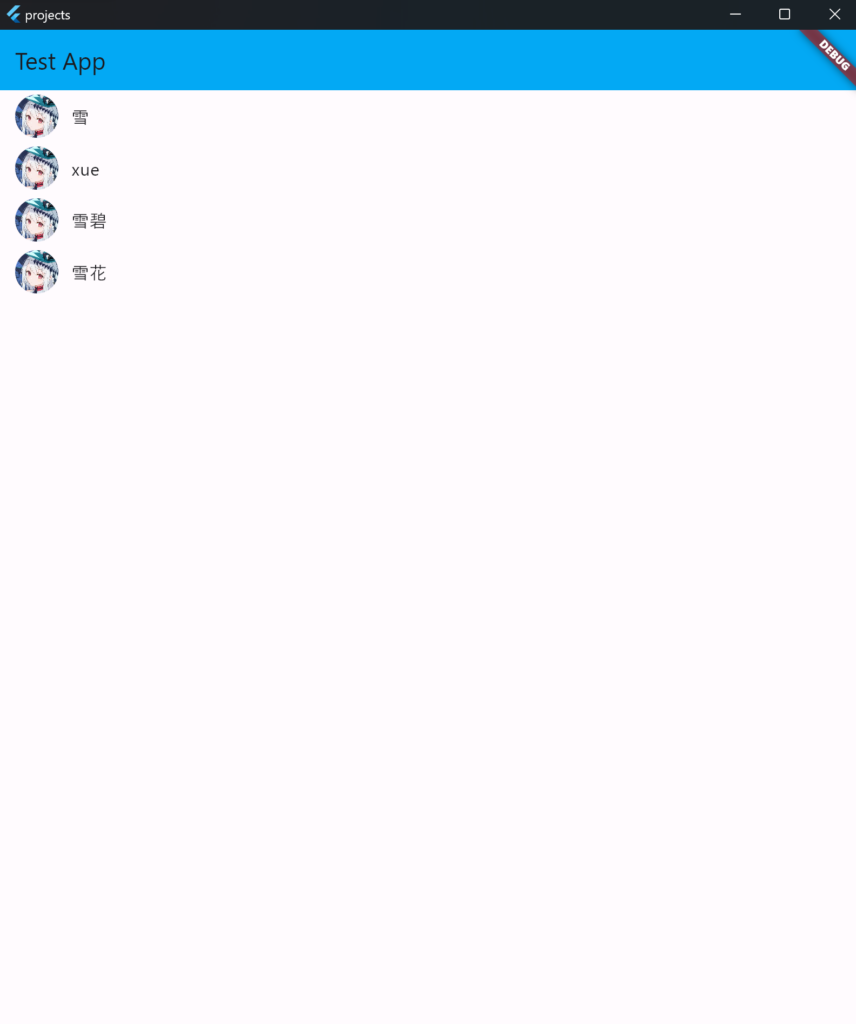
}效果:
评论
还没有人评论,来说第一句。